
By Peter Chadha, Google Workspace Transformation Leader
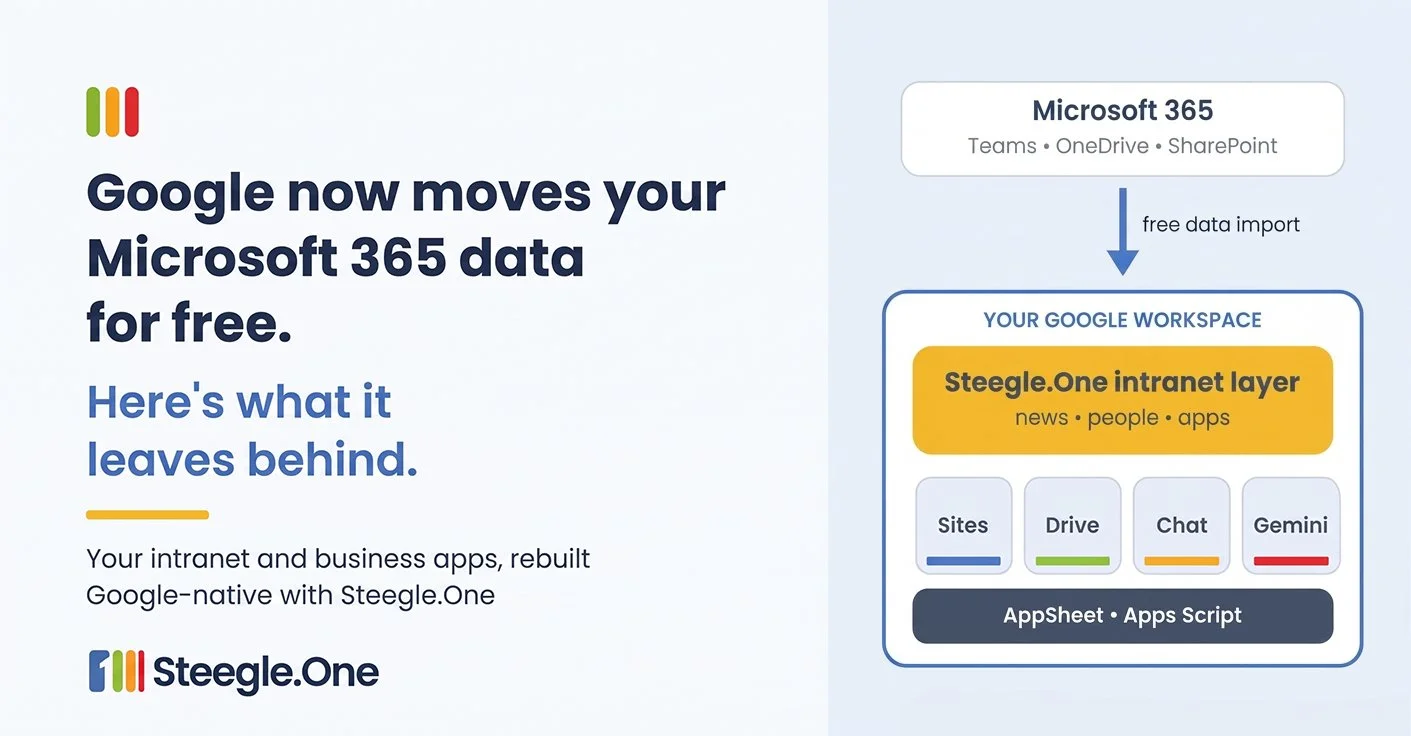
Illustration of an organization moving from Microsoft 365 to Google Workspace with Google's free data import, with a Steegle.One intranet layer and AppSheet and Apps Script on top.
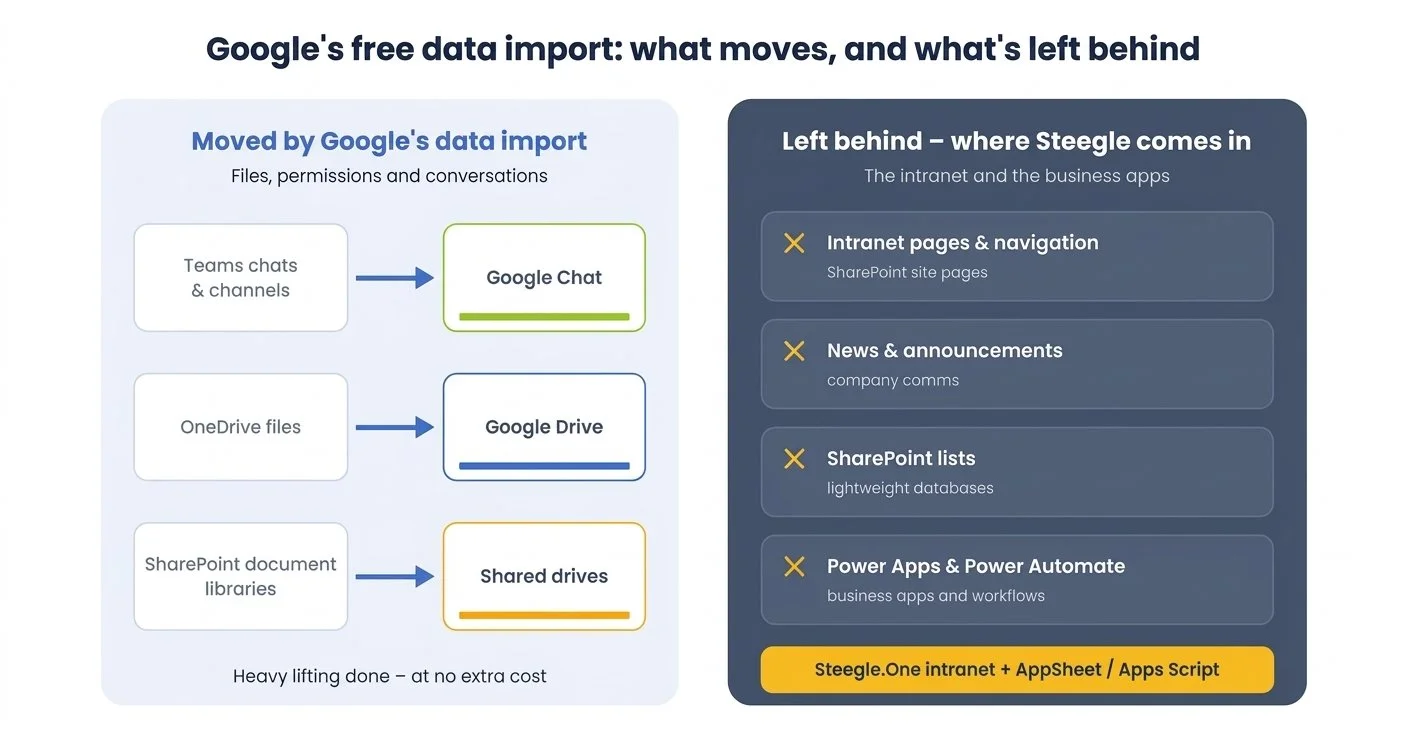
Moving from Microsoft 365 to Google Workspace has never been easier. In its October 2026 Workspace Drops, Google announced that its cloud-native data import service now migrates Microsoft 365 inboxes, calendars, chats and files up to five times faster, at no additional cost. Teams channel history, direct messages and spaces move into Google Chat. OneDrive files, folder structures and user permissions move into Drive. SharePoint Online document libraries, with their permissions and metadata, move into shared drives.
This builds on August's general availability of data import for Microsoft Teams and Microsoft OneDrive, run straight from the Google Admin console.
We help organizations make this move all the time, and this is genuinely good news. The hardest, most expensive part of a migration used to be shifting terabytes of mail and files without losing anything. Google's own tools now do that heavy lifting.
But data is only part of the story.
What the data import doesn't move
Google is clear about the scope. Its help article What's imported from SharePoint Online? lists SharePoint Online lists and webpages among the items that are not imported. That makes sense: the import service is built to move files, folders, permissions and conversations, not experiences.
So once the files have landed in shared drives, most organizations still have two important gaps:
The intranet. Your SharePoint home page, news posts, navigation, team and department pages, policy hubs and the people directory. This is where employees start their day, and it doesn't come across.
The business apps. Power Apps, Power Automate flows, SharePoint lists acting as lightweight databases and the custom solutions built up over years. These quietly run approvals, requests, onboarding and dozens of other everyday processes.
If you leave these until after cut-over, you end up with an awkward hybrid: staff working in Google Workspace but still logging into Microsoft for the intranet and a handful of critical forms, with licences you hoped to retire still on the books.
Don't rebuild the old intranet. Simplify it.
Our advice is not to recreate the old SharePoint intranet page by page. Most legacy intranets have grown complex over time, with deep navigation, unclear ownership and content nobody has touched in years. A migration is the right moment to move people to a simpler, Google-native workplace.
That's what Steegle.One is for. It's a Google Sites-based intranet that runs inside your own Google Workspace tenant, using Google's sign-in and security. It brings together the things employees actually use:
Keep important updates out of the chat scroll
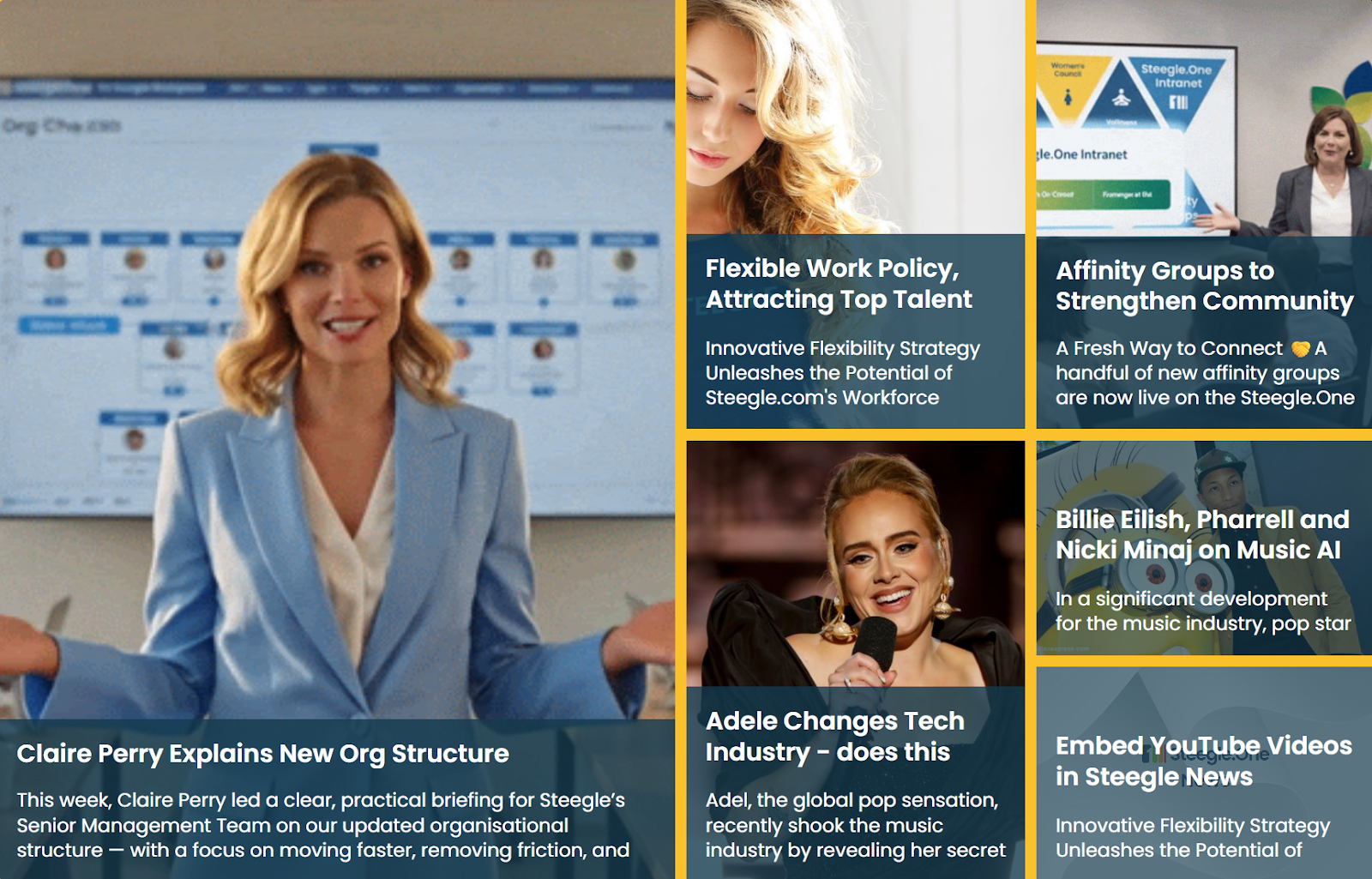
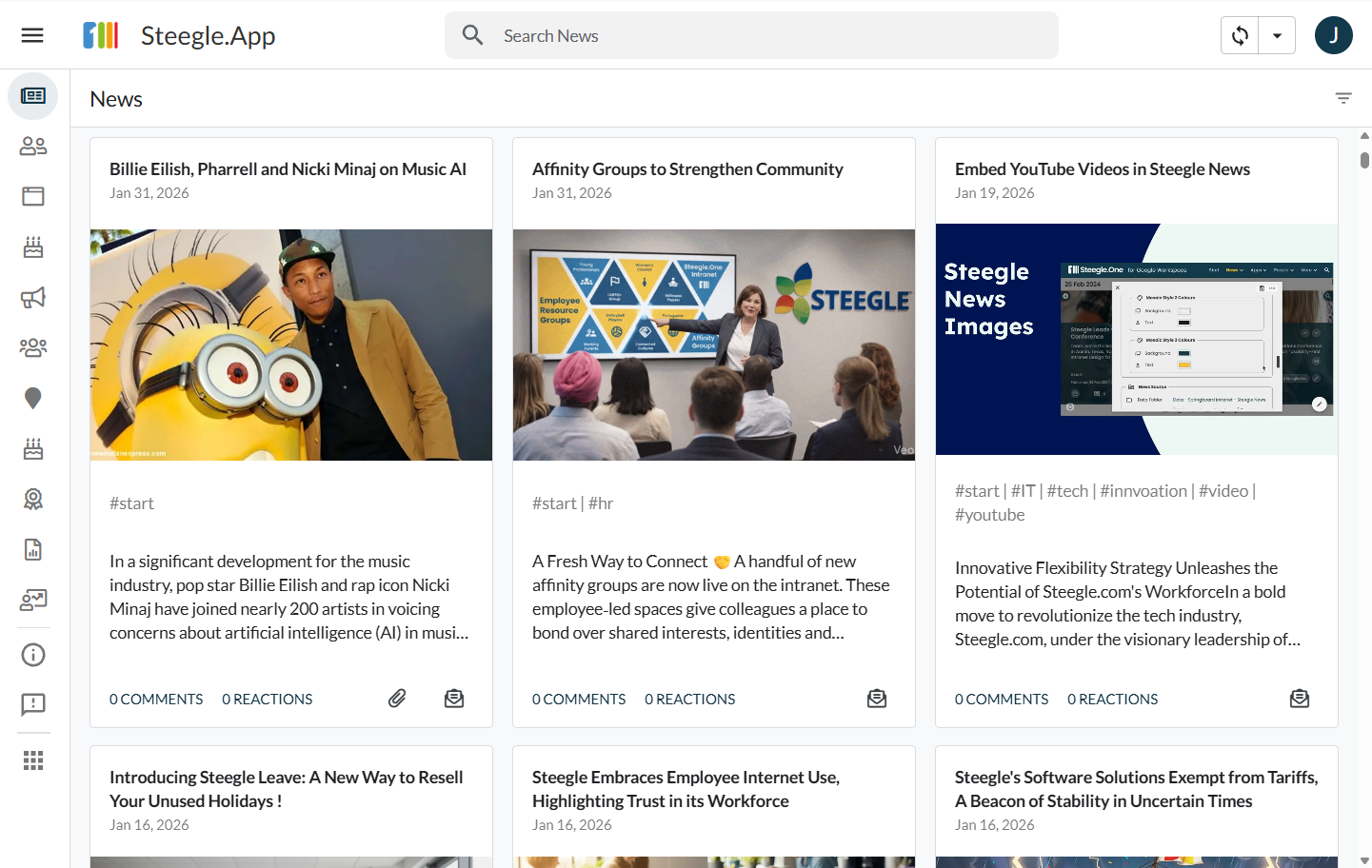
News and newsletters for reliable company communication, ensuring important announcements don't get lost in chat.
- Company news and announcements
- Newsletters and internal communications
- Likes, reactions, and engagement tracking
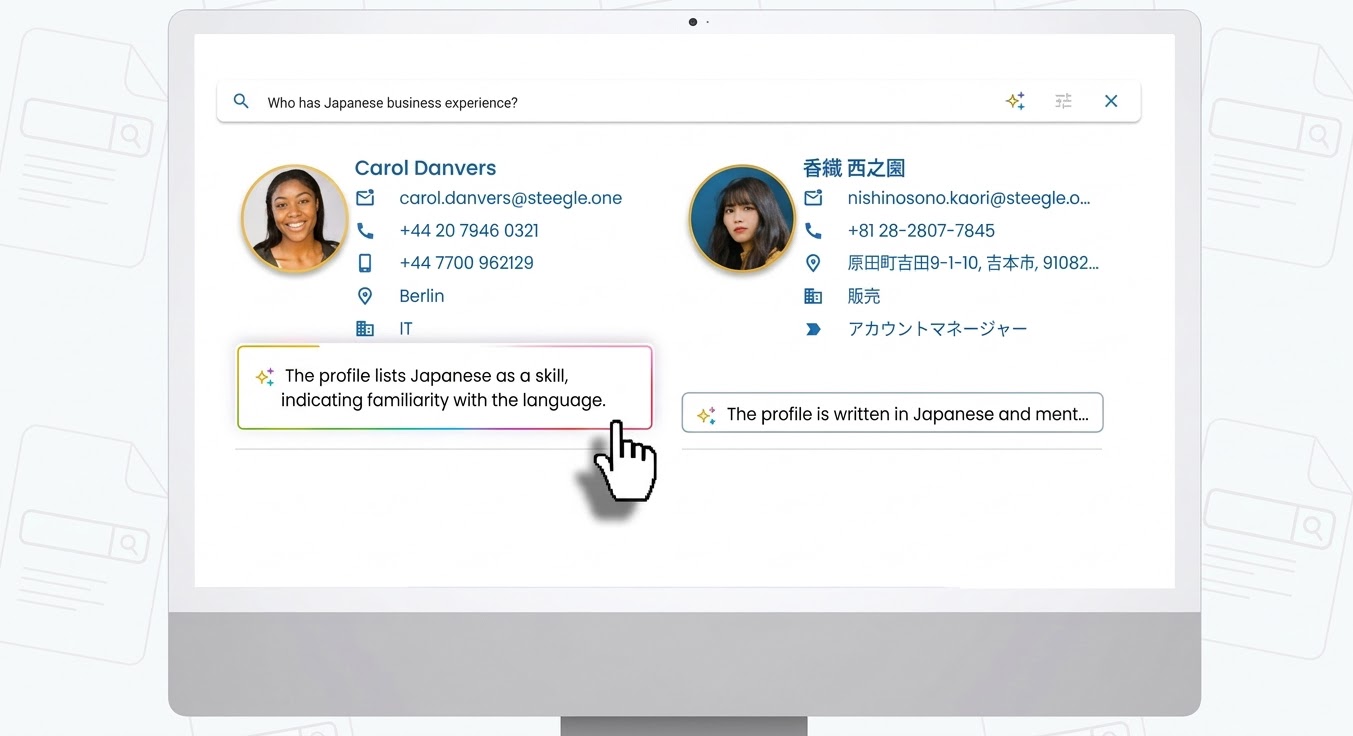
Every colleague, always in sync
A People directory and org charts powered by your Google Workspace Directory, eliminating the need for a separate HR sync.
- Employee directory
- Rich staff profiles and expertise discovery
- Google Workspace Directory integration
Celebrate wins and strengthen company culture
Heroes for peer recognition and celebrating employee achievements and milestones.
- Employee recognition
- Peer awards and shout-outs
- Celebrate milestones and achievements

Say goodbye to file silos and content chaos
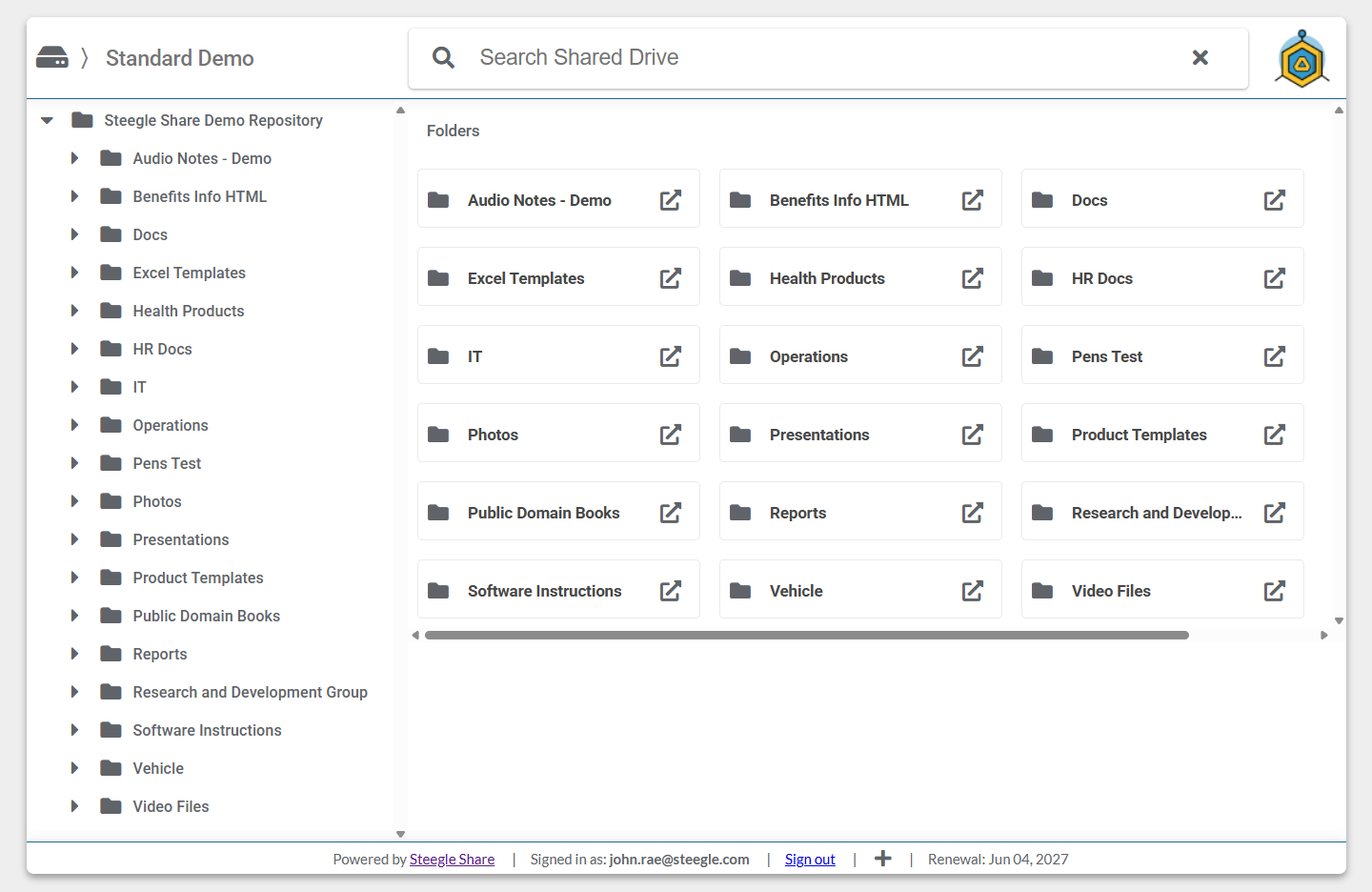
Steegle Share, a Drive-backed document library that transforms imported shared drives into a structured, searchable knowledge hub, allowing administrators to manage access and permissions from a single interface while maintaining Google Drive's underlying security model.
- Drive-backed document library
- Searchable knowledge hub
- Permissions controlled through Google Drive
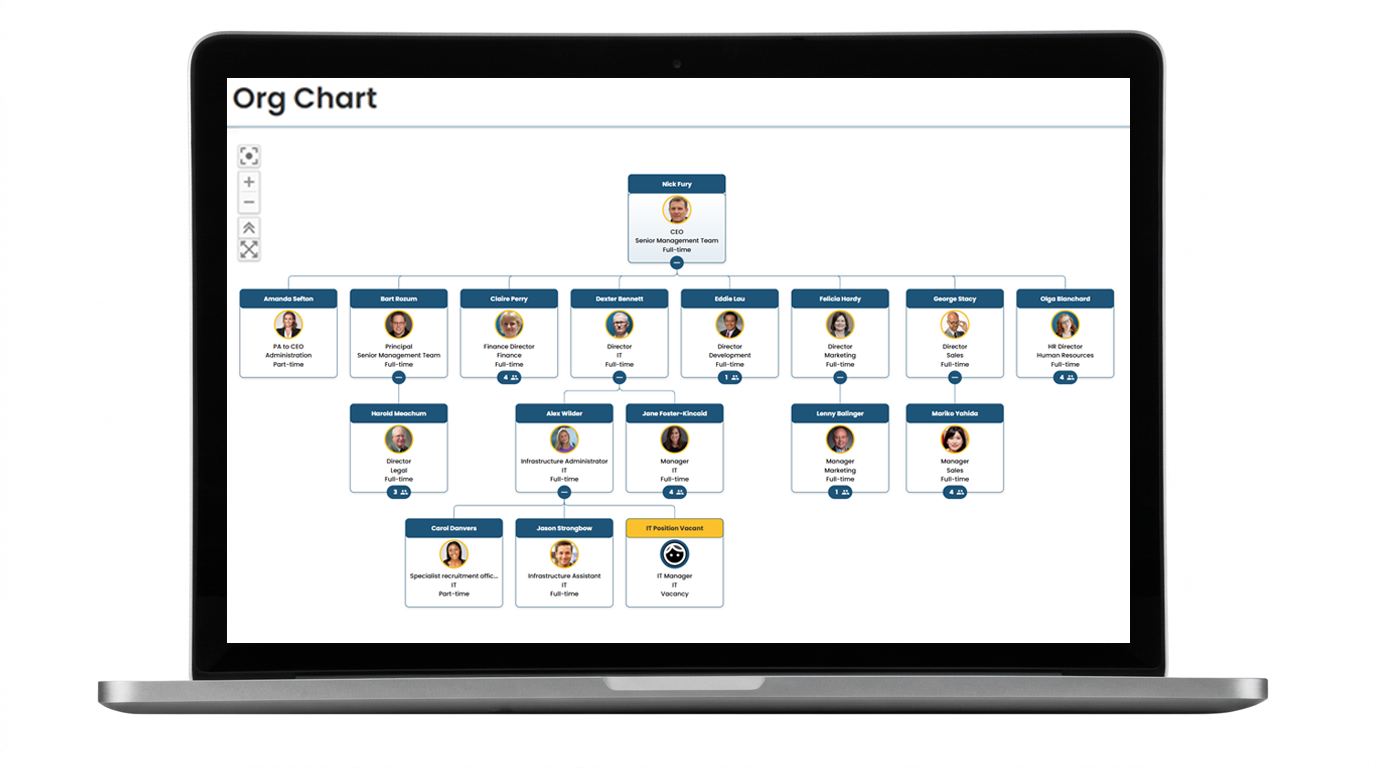
Visualize your reporting structure automatically
Dynamic org charts powered by your Google Workspace Directory, eliminating the need for a separate HR sync.
- Dynamic organizational charts
- Visual reporting structures
- Built directly from Google Workspace Directory
The entire intranet, in every pocket
A mobile app for frontline and remote staff, providing access to key information wherever they work.
- Mobile-first employee experience
- Access news, people, and resources anywhere
- Ideal for frontline and remote workers
Your data stays in your tenant
Because Steegle.One lives inside your tenant, your content stays in your Google Workspace. Steegle isn't a processor of your intranet content, and we can't see it unless you choose to give us access for support.
Google Cloud Partner since 2008
Steegle has been building intranets on Google Sites since 2008 as a Google Cloud Partner, so we know where Sites shines and where it needs a helping hand.
Bringing your business apps across
The second gap is often the biggest surprise. Power Apps and Power Automate flows don't move with your files, yet they're often tied to business-critical processes.
We rebuild these using Google-native tools: AppSheet for data-driven apps and forms, Apps Script for automation and integration, and Google Workspace tools such as Sheets, Forms, and Chat. We typically work in phases, prioritizing the most important apps first so organizations can retire Microsoft licenses with confidence. It's also an opportunity to simplify and consolidate workflows during the move to Google Workspace.
A practical sequence
In practice, a well-run move looks like this:
Plan the data move with Google's free data import service and its migration planning utility.
Audit the intranet and apps in parallel: what's used, what's out of date, what's critical.
Design a simpler intranet on Steegle.One, connected to the shared drives your files are moving into.
Rebuild priority apps on AppSheet and Apps Script, and retire the rest.
Launch together, so employees arrive in Google Workspace with a home page, a directory and the tools they need from day one.
Working with other Google partners
Many migrations are led by other Google Cloud Partners, and we're happy to work alongside them. If you're a partner handling the data migration, bring Steegle in for the intranet and business apps layer. You keep the customer relationship and the migration project; we take care of the part the import service doesn't cover, so your customer gets a complete move rather than a partial one.
Ready to plan your move?
Google's tools will move your data. We'll help you move the way your organisation works.
Request a Steegle.One demo to see what a Google-native intranet looks like for your organisation.
