

The Intranet built for Google Workspace

The Definitive Guide to Knowledge Management in Google Workspace
Escaping the Document Graveyard
Sherwin Steel
Technology Consultant, Steegle.One

Your organisation is not short of knowledge. It has years of institutional expertise accumulated in critical HR policies, onboarding guides, process documents, and complex project files. Every time a specialist solves a problem, organisational intelligence is created.
But here is the painful reality: almost none of it is findable. Ask a new hire where to find the onboarding documentation, and they will stare at a chaotic Google Drive folder structure that made sense to whoever created it three years ago, eventually giving up and sending an email to HR. Ask a project manager for the current procurement policy, and they will uncover three different drafts across multiple folders, with absolutely no indication of which one legal actually signed off. You do not have a functional knowledge management system; you have a very full, highly disorganised storage locker.

The solution isn't to export all your files into an expensive, disconnected third-party platform. The fix is to build a structured, governed knowledge layer directly on top of the tools your team already uses. By transforming your messy Google Workspace into a curated digital hub with a platform like Steegle.One, you can eliminate version control chaos, secure your proprietary data, and finally make your company's expertise discoverable.

What is Knowledge Management in Google Workspace?
Knowledge management in Google Workspace is the practice of organising, surfacing, and governing documents and expertise across Google Drive. It allows employees to easily find accurate policies and human experts without duplicating content, losing version control, or breaching access restrictions.
The Version Control Crisis: Why Google Drive Alone Isn’t Enough
Before fixing the problem, you must understand the architecture. Google Drive is genuinely excellent at document creation and real-time collaboration. Multiple users can edit a spreadsheet simultaneously, version history is automatically maintained, and sharing is incredibly straightforward. However, the exact features that make Drive great for creation make it terrible for surfacing and governance.
As your company grows, Google Drive expands organically. Departments create overlapping shared drives, and employees save documents wherever they personally feel they belong. Over time, this leads to a phenomenon known as "folder spelunking," where staff waste hours clicking through deeply nested subfolders just to find a simple standard operating procedure. Drive's native search is powerful, but it relies on the user knowing exactly what file name to search for—which is impossible for a new hire looking for a policy they didn’t even know existed.
According to "Knowledge Management in Google Workspace: How Steegle," this lack of structure inevitably creates a "document graveyard". Outdated documents, abandoned project pages, and duplicate resources pile up, completely destroying employee trust. When staff can no longer distinguish between a current policy and an obsolete draft, they abandon the system entirely and revert to disruptive Slack messages.

So what?
Treating cloud storage as a knowledge base creates dangerous operational blind spots. If employees act upon superseded compliance documents because the correct version was buried four folders deep, your organisation faces severe legal and operational risks.
Now what?
You must actively shift from a model of reactive searching to proactive discovery. Build an overarching information architecture on your intranet organized by the employee's business need, rather than the department that originally created the document.
Table 1: Google Drive Storage vs. True Knowledge Management
| Feature | Google Drive Storage | Steegle.One Knowledge Management |
|---|---|---|
| Primary Function | Stores and collaborates on documents. | Connects people with curated information. |
| Organisation Method | Fragmented folders and subfolders. | Structured visually by business needs. |
| Discovery Model | Reactive searching (requires exact names). | Proactive discovery via guided navigation. |
The "Single Source of Truth" Strategy: Surface, Don't Duplicate
When companies finally recognize their document chaos, they often make a fatal mistake: they buy a standalone intranet platform—like legacy SharePoint—and start uploading their Drive files to it. The very second a document is copied from Google Drive to a third-party server, a duplicate is born. The original file inevitably gets updated in Drive by the policy owner, but the intranet copy does not. Within weeks, your new platform is spreading misinformation.
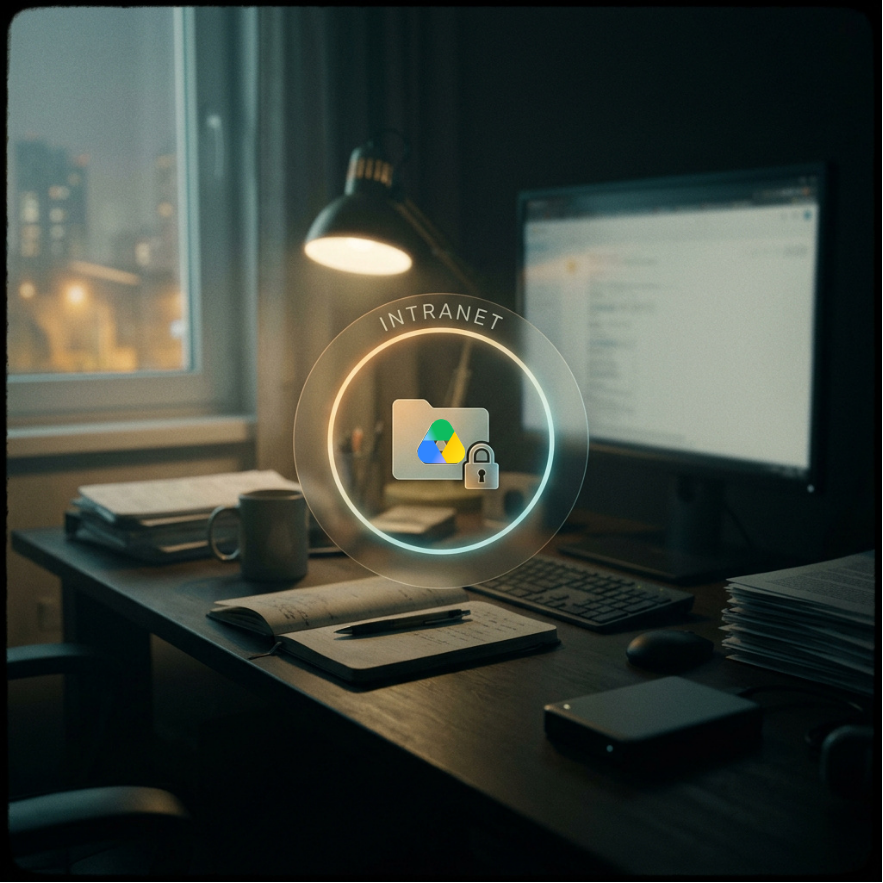
According to Steegle's product architecture guidelines, Steegle.One solves this paradox through a fundamentally different approach. Instead of copying your data, it securely surfaces content directly from Google Drive. The intranet acts as a sophisticated, beautifully designed lens looking into your Drive.
When a policy owner updates an HR manual in Google Docs, the Steegle.One intranet link instantly and automatically reflects the new version. There is no manual syncing, no downloading, and no re-uploading required. Your governance effort drops to zero because the single source of truth in Drive is automatically the single source of truth on the intranet.
So what?
Duplicating documents into external systems guarantees version control failure and creates massive compliance liabilities.
Now what?
Implement a strict "no duplication" policy today. If a critical document already exists in Google Drive, surface it via a live link on your intranet. Never upload a second copy to a different platform.
Pro Tip:
Every time a department requests to publish a new policy on the intranet, force them to answer one question: "What existing document does this replace?" If it replaces an older file, ensure the old file is permanently archived in Drive to prevent it from clogging up future search results.
Table 2: What to Measure During Your Pilot
| Governance Factor | Third-Party Intranets | Steegle.One (Google Native) |
|---|---|---|
| Document Storage | Copied to external, vulnerable servers. | Stays securely inside Google Drive. |
| Version Control | Highly prone to duplication and drift. | Automatic, single source of truth. |
| Admin Burden | High (manual updates required). | Zero (automatic consistency). |
Finding the Human Experts Behind the Documents
The most sophisticated knowledge management insight of the last decade is this: documented knowledge and human expertise are not the same thing. Documents capture exactly what an organisation knew at the precise moment the file was written. They do not capture the exceptions the author learned later, the nuances of the rollout, or the undocumented context. For an employee trying to apply a complex policy, the document is just the starting point. What they actually need next is a person.
Most digital workplaces have absolutely no systematic way to connect the reader of a document with the expert who wrote it. Steegle People bridges this critical gap brilliantly. Powered by your organisation's private instance of Google Gemini, this AI-powered directory enables staff to search for colleagues using natural language.
If a field engineer reads a compliance guide and needs clarification, they don't need to send a broadcast email to the entire department. They can simply search Steegle People for "compliance experience, financial services" and instantly find three colleagues with that exact niche expertise—including the original author of the document.
So what?
When expertise is hidden behind job titles, teams duplicate effort and cross-functional collaboration completely stalls.
Now what?
Stop treating your employee directory like a static phone book. Mandate that all staff populate the "Skills" and "Past Projects" fields in their profiles to fuel the AI discovery engine.
Pro Tip:
Encourage your content owners to add their Steegle People profiles as a linked contact directly on the Google Docs they own. Adding "Questions about this policy? Contact [Name]" transforms a static, dead document into a dynamic entry point for real knowledge exchange.
Securing Your Knowledge Without Permission Headaches
Knowledge management without strict access control is not an asset; it is a terrifying security liability. Draft financial reports, executive management briefings, and proprietary product roadmaps must be tightly restricted. The conventional approach on traditional intranets forces IT to build a second, parallel permissions matrix, manually recreating the access rules that govern your active directory.
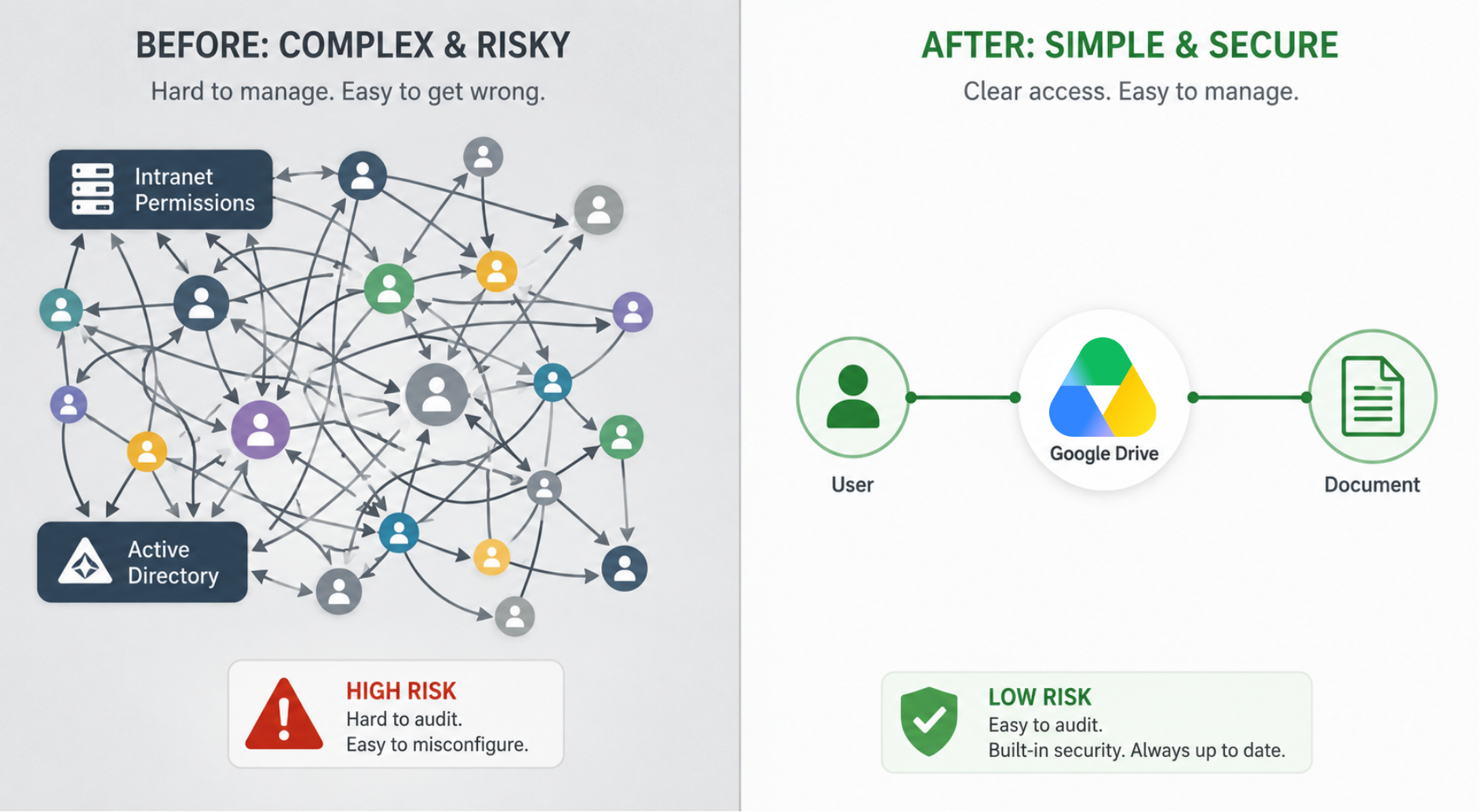
According to Steegle's security framework, this dual-system approach is incredibly error-prone and requires endless maintenance every time an employee changes roles. Steegle.One eliminates this vulnerability entirely by securely inheriting your existing Google Drive permissions.
Through a feature called Steegle Share, audience-specific content visibility is enforced automatically. If an employee does not have permission to view a highly sensitive document in Google Drive, they will not see that document on the intranet. It will not even appear in their search results. Your knowledge management security is only ever as strong as your Google Workspace administration—because they are exactly the same system.
So what?
Maintaining dual permission matrices across disconnected software is the leading cause of internal data breaches and accidental over-sharing.
Now what?
Stop duplicating your IT workloads. Consolidate your security architecture by managing all intranet content visibility strictly through existing Google Groups and Organisational Units.
Table 3: Legacy Security vs. Google Native Security
| Governance Factor | Third-Party Intranets | Steegle.One (Google Native) |
|---|---|---|
| Document Storage | Copied to external, vulnerable servers. | Stays securely inside Google Drive. |
| Version Control | Highly prone to duplication and drift. | Automatic, single source of truth. |
| Admin Burden | High (manual updates required). | Zero (automatic consistency). |
Frequently Asked Questions
Steegle.One for Google Workspace
-
No. Steegle.One surfaces documents directly from Google Drive via live links rather than creating duplicate copies. This ensures there is always a single source of truth and completely eliminates the risk of version control chaos.
-
Yes, absolutely. Steegle.One strictly enforces your existing Google Drive permissions. If a user does not have authorised access to a highly confidential file in Drive, they cannot see it or search for it on the intranet.
-
Steegle.One includes a dedicated, mobile-responsive app that provides secure access to documents, Steegle People search, and news. The mobile experience uses the exact same Google Workspace permission framework, ensuring consistent access controls regardless of device.
-
When a Google Workspace account is suspended by IT, the former employee's access to all intranet content is automatically revoked. Their documents remain securely in Drive under the organisation's ownership, ready to be reassigned to an active colleague.
-
Yes. Steegle.One can seamlessly surface content from various shared drives as well as individual Drive folders, subject to existing Google Drive permissions. This allows you to build a unified knowledge base from multiple departmental silos.
-
Yes. Steegle People is powered natively by a private instance of Google Gemini. It processes search queries entirely within your organisation's secure Google Workspace domain. No proprietary employee data is ever sent to external AI services for model training.
Stop Searching, Start Finding
Creating documents is easy; finding the right document—and the right expert behind it—is what separates high-performing organisations from chaotic ones. A powerful intranet should not require you to abandon the tools your team already relies on, nor should it force your IT department to manage duplicate databases.
By leveraging Google Workspace’s native architecture, Steegle.One transforms your messy Drive into a governed, beautiful, and highly functional Document Management System. As Adam Lee, Director of People Operations at Beyond Meat noted, "Today our new intranet is successfully developed with Steegle Tools in place... The feedback has been excellent".
Don't let your company's most valuable insights slowly decay in a digital graveyard. Take control of your knowledge architecture today. Audit your Google Groups to prepare your permissions, and book a Steegle.One demo to see how seamless native knowledge management can truly be.
#KnowledgeManagement #GoogleWorkspace #GoogleDrive #DocumentManagement #SteegleOne #Intranet #DigitalWorkplace #FutureOfWork
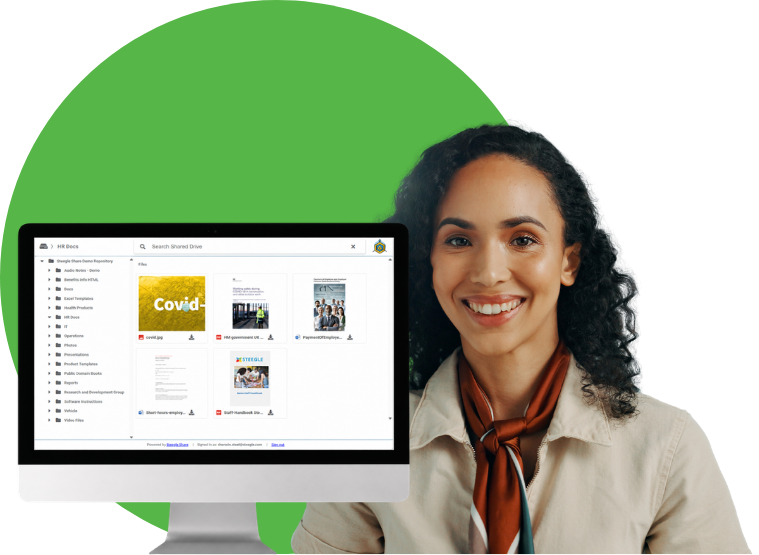

Focus on Feedback and Shaping the Platform
Explore how our new platform will transform daily work during this exclusive pilot phase. Discover early-access features, test out vibrant team channels, provide real-time feedback, and help us refine the centralized hubs before our company-wide launch.
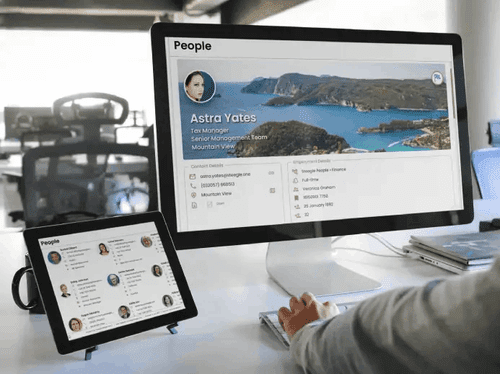
Enhance Knowledge Management
Discover how the Steegle.One People Database connects your workforce, improves team building, and streamlines knowledge management across your organization.
Digital Green Success Story
Learn how to connect a worldwide team. Discover how Steegle.One helped Digital Green establish superior knowledge management and seamless global connectivity.
Orchard Mental Health Story
Learn how to connect your healthcare professionals. Discover how Steegle.One helped Orchard Mental Health establish secure, centralized knowledge management across their organization.
Best Employee Intranets
Uncover the latest digital workplace trends. Learn how Steegle.One empowers your remote team with seamless, centralized knowledge management and intuitive tools.