
The Intranet built for Google Workspace

How to Audit Your Google Sites Intranet
A Practical Guide for HR, IT, and Comms Teams
Sherwin Steel
Technology Consultant, Steegle.One


If your employees are constantly messaging you on Slack to ask, "Where is the latest remote work policy?" or "Which version of the Q3 benefits deck is the final one?", your intranet isn't suffering from a search functionality problem. It’s suffering from a massive content problem.
Without active, ruthless governance, corporate intranets inevitably turn into digital landfills. HR policies from 2019 sit right next to active project briefs, and your Google Drive search results become clogged with chaotic document titles like Employee_Handbook_Final_v4_USE_THIS_ONE. When users cannot trust the intranet to provide a single source of truth, they abandon it entirely, eroding trust and reverting to shoulder-taps and endless email chains.
The solution isn't to rip out your entire digital workplace and buy a bloated, expensive third-party platform. The solution is to conduct a practical, rigorous intranet content audit designed specifically for the Google Workspace ecosystem. An effective audit doesn't just clean up your frontend site pages; it untangles underlying Google Drive sprawl, fixes broken permissions, and establishes evergreen governance.

What is a Google Sites intranet content audit?
An intranet content audit is a structured review of your internal site pages and connected Google Drive files. It involves evaluating every piece of content for accuracy, relevance, findability, and ownership. The goal is to remove redundant files, update critical policies, and establish long-term governance for your digital workplace.
The Hidden Costs of Google Workspace Content Sprawl
Before you open a single spreadsheet to start your audit, you need to understand exactly what you are hunting for. Most intranet content problems fall into four distinct categories, and each requires a different strategic response. Understanding these pitfalls is crucial because treating all bad content the same way guarantees your audit will fail.
Outdated or inaccurate content is the most immediately damaging to your organization. An employee who follows an outdated expense policy, contacts a vendor using an obsolete list, or relies on a benefits summary that no longer reflects their current entitlements has been actively harmed by the intranet. This category creates massive compliance and legal exposure, particularly for HR and Legal teams. What does this mean for you? It means outdated content isn't just "messy"—it's a direct operational risk that must be neutralized immediately.

Finally, you have Orphaned and Buried content. Orphaned content has no named owner and no review date; it exists, but nobody is accountable for it. Buried content is accurate and relevant, but practically invisible because it lives under confusing navigation or non-descriptive titles. According to Steegle's best practices, orphaned content is where audits go to die—if you don't assign an owner, the content will simply rot again within a year.
Duplicated or conflicting versions are more insidious because they aren't obviously wrong; they just create paralyzing uncertainty. "Which of these three onboarding checklists is the right one?" is a question that should never exist. This typically happens because files were manually uploaded rather than embedded from a single authoritative Drive source, or because multiple teams created similar resources without communicating. This destroys productivity as employees waste time verifying which version is real.
| Content Problem Type | The Core Issue | The Strategic Fix |
|---|---|---|
|
Outdated / Inaccurate
|
Directly misinforms employees and creates severe compliance risks. |
Update immediately or archive
|
|
Duplicated / Conflicting
|
Creates systemic uncertainty and operational version control chaos. |
Consolidate & establish single source of truth
|
|
Orphaned
|
Has no active owner; guaranteed to become obsolete or incorrect soon. |
Reassign to a department or Google Group
|
|
Buried
|
Accurate but entirely unfindable, wasting the organizational effort put into creating it. |
Restructure navigation & optimize for search
|
Prioritize by Risk, Not by Volume
Don't try to audit everything at once. Start with your highest-risk categories: HR policies, IT security protocols, and employee onboarding resources. These sections get the most traffic and cause the most damage when outdated, delivering the highest ROI for your audit efforts.

The 5-Step Practical Audit Framework for Google Sites
Auditing an entire intranet can feel overwhelming, but breaking it down into a systematic, 5-step framework makes it manageable for lean Internal Comms, IT, and HR teams. The goal here is speed and clarity, not over-analysis.
Step 1: Build Your Digital Inventory.
Start with a shared Google Sheet. This is not a compromise—it is the right tool for the job because it allows simultaneous editing and easy sorting. Create columns for Page Title, URL, Content Type, Named Owner, Last Modified Date, and Audit Decision. Crawl your intranet systematically. Look at your page analytics: high-traffic pages with outdated content are your priority-one emergencies, while zero-traffic pages are prime candidates for the archive.

Step 2: Assign Strict Ownership.
The most common failure of an intranet audit is discovering that nobody knows who owns massive sections of the site. HR cannot rewrite IT security protocols, and Internal Comms shouldn't be updating financial procedures. Before making decisions on the content itself, assign every core page to a specific department. For true scalability, assign ownership to a Google Group rather than an individual (who might leave the company), ensuring continuity.
Step 3: Apply the 4-Decision Triage Framework.
For every single page and linked document, the assigned owner must make one of four hard decisions. Resist the urge to add a "maybe" category—everything gets categorized:

| The Audit Decision | What It Means in Practice |
|---|---|
|
Keep
|
Content is accurate, actively owned, and highly utilized.
Add a future review date.
|
|
Revise
|
The core topic is relevant, but details need updating or clarifying. |
|
Restructure
|
The content is accurate but poorly placed or poorly titled.
Fix the information architecture.
|
Step 4: Fix Underlying Google Drive Permissions.
In a Google Workspace environment, your intranet is only as powerful as your Drive permissions. If users click a link and hit a "Request Access" barrier, the intranet has failed. Ensure all embedded documents are stored in properly governed Shared Drives, not individual "My Drives". This ensures that if an employee leaves the company, their critical documents don't disappear from the intranet.

Step 5: Run a Live Search Test.
Spreadsheets don't capture the real user experience. Ask five employees from different departments—ideally including a new hire—to find three specific pieces of critical information (like the maternity leave policy or IT request process). Watch where they search and what they click. This will surface confusing navigation and misleading titles that your analytics dashboard will never catch.
Stop Uploading, Start Embedding with The Secret to Evergreen Governance
Running a successful audit only to return to your old publishing habits guarantees you will need to repeat this entire grueling process in twelve months. The audit reveals the symptoms, but ongoing governance addresses the root cause.
According to industry experts, the single highest-leverage governance change available to a Google Workspace intranet is to embed from Drive, never upload. When you upload a static PDF directly to an intranet page, it becomes a frozen snapshot. The moment someone updates the master file in Google Drive, your intranet copy is instantly wrong, quietly misdirecting employees until the next audit.
When you embed a document from its authoritative location in Google Drive, the intranet always displays the current, live version. Updating the document in Drive instantly updates what employees see on the intranet, completely eliminating version confusion. Solutions like Steegle Share take this further by transforming chaotic Google Drive folders into a curated, searchable Document Management System embedded natively within your Google Site, strictly respecting all native Drive permissions.
Make Review Dates Mandatory
Every piece of content published should require three things before it goes live: a named owner, an intended audience, and a scheduled review date. Treat the absence of these fields as an automatic rejection for publishing.

Optimize Your Intranet Performance
After auditing your site, take the next steps to improve employee engagement. Explore usability review guides, solutions for common platform problems, maintenance best practices, and advanced core features.
Search Across Google Sites
Learn how to solve a common enterprise challenge by setting up seamless search functionality across multiple Google Sites.
Fix Common Intranet Problems
Discover the 11 most common intranet issues organizations face and access practical strategies to resolve them quickly.

Effortless Maintenance Tips
See how a Google Workspace integrated intranet keeps your content fresh and relevant with minimal administrative effort.
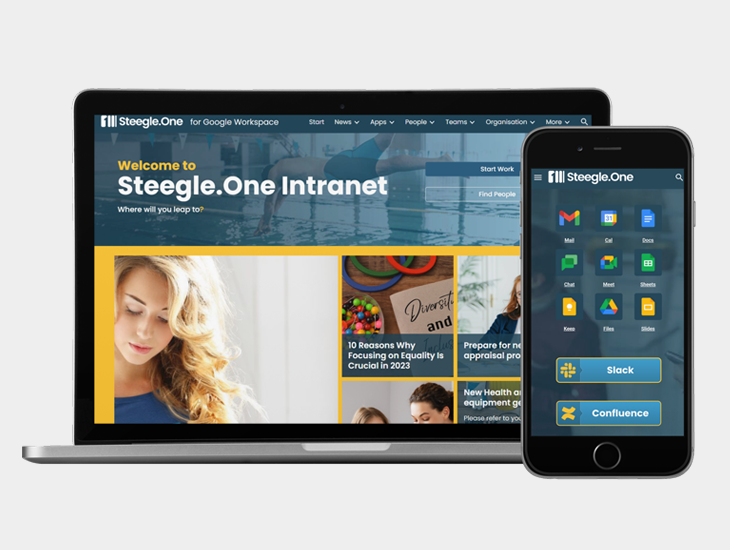
Explore Advanced Features
Discover powerful widgets like Steegle News and dynamic directories designed to upgrade your current Google Sites hub.
Frequently Asked Questions
Steegle.One for Google Workspace
-
For a 100–500 page intranet with a dedicated project lead and distributed content owners, expect the process to take four to eight weeks from kickoff to completed decisions. The biggest bottleneck is usually waiting for content owners to respond.
-
Typically, Internal Communications or IT leads the audit, depending on your organizational structure. The lead's role is strictly coordination and process management; the actual content expertise and updating responsibilities must sit with the subject matter owners.
-
No specialist software is required. You can run a highly effective audit using a shared Google Sheet for the inventory, Google Analytics for traffic data, and Google Calendar for setting recurring review date reminders.
-
If a page lacks an identifiable owner and nobody claims it, treat it as orphaned content and archive it. Do not delete it immediately—hold it briefly and notify the team, as abandoned-looking content is occasionally relied upon by small niche groups.
-
Assign a single primary owner from the department most directly responsible for the subject matter. Avoid co-ownership at all costs; in practice, shared ownership means no ownership. One accountable person, supported by secondary stakeholders, produces the best outcomes.
-
Archive content that may have historical relevance or relates to past employment decisions and policies. Delete content that is purely administrative, trivial, and holds no archival value. When in doubt, archive—storage is cheap, but restoring lost data is not.

Transform Your Digital Workplace with Steegle.One
By the end of this audit, you'll have reclaimed your digital workspace from the chaos of content sprawl. But maintaining that clarity requires a platform built for modern governance.
You don't need to migrate your data to a complex, overpriced third-party platform that creates duplicate storage silos. Steegle.One helps organizations get massive value directly out of the Google Workspace tools they already pay for. By combining beautifully designed Google Sites with native tools for people directories, news broadcasting, and seamless Google Drive publishing, Steegle.One creates a secure, single source of truth that your employees will actually love using.
Ready to stop fighting your intranet and start empowering your team? Request a Steegle.One demo today and discover the power of a truly Google-native digital workplace.
#GoogleSites #IntranetAudit #InternalComms #DigitalWorkplace #GoogleWorkspace #KnowledgeManagement #HRTech #ITGovernance
Related Insights
-
![Healthcare Burnout]()
Tackling Healthcare Worker Burnout: How Steegle.One Intranet Can Help
Tackling Healthcare Worker Burnout: How Steegle.One Intranet can help health care workers in the U.S. have faced increased stress due to systemic...
-
![Is Steegle.One a Digital Engagement Platform?]()
Is Steegle.One a Digital Engagement Platform?
Is Steegle.One a Digital Engagement Platform? As a member of the Steegle team, I was recently asked by a prospective client if Steegle.One is a...
-
![]()
Beyond Workvivo: Why Meta’s Migration Offer Isn’t the Only Answer
Beyond Workvivo: why Meta's Workplace migration offer Isn't the only answer Introduction Meta's decision to discontinue Workplace and offer a...